Deposit state on the deal
Connect configured customer payment collection to the accepted estimate and record the resulting state where the team can see it.
Solar software for finance teams
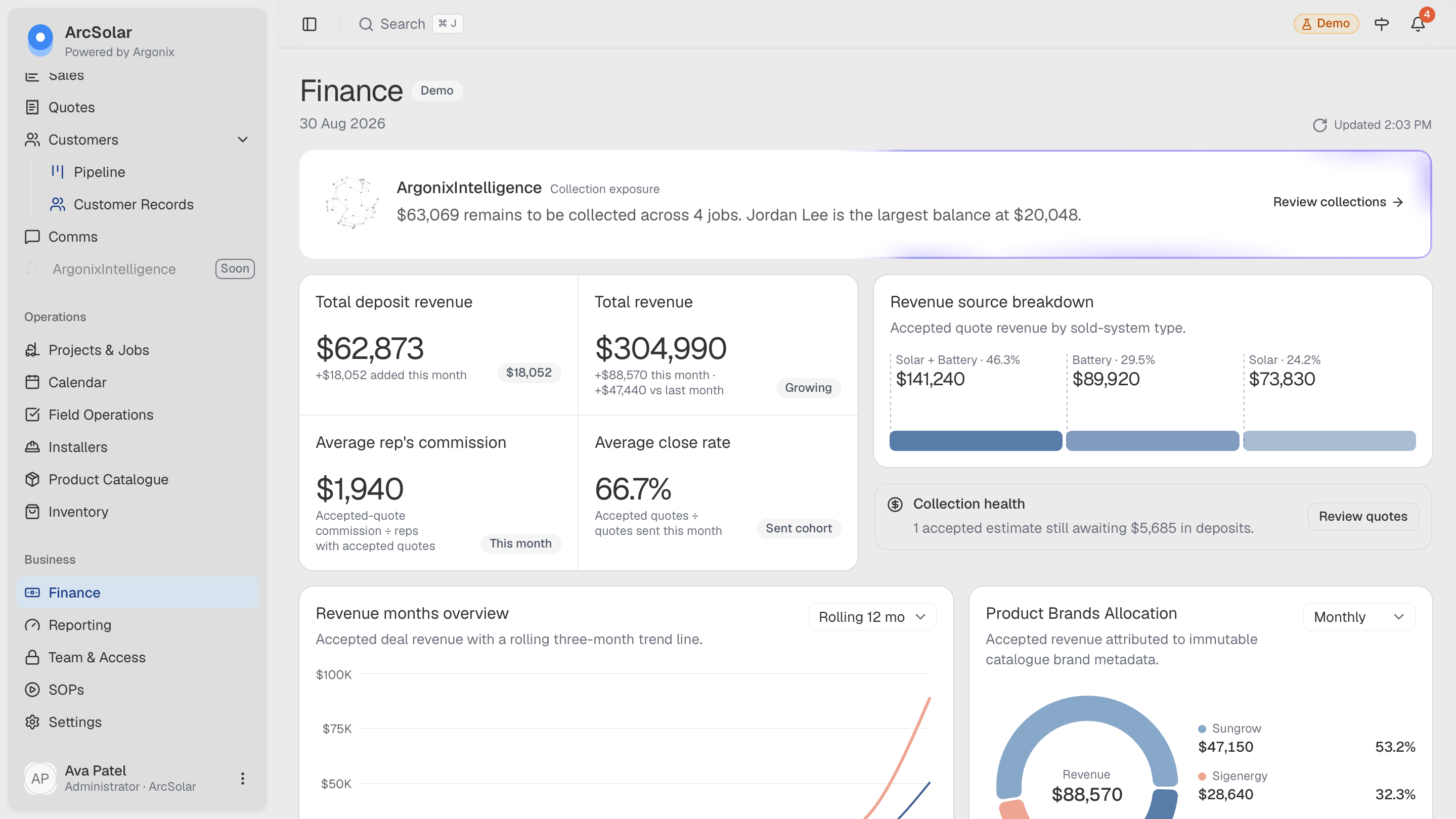
ArcSolar's finance workspace uses the commercial records created by quoting, acceptance and payment workflows. Finance can review the current position without first rebuilding the month from representative spreadsheets and disconnected payment exports.
Book a workflow demoRevenue, deposits, outstanding balances and commission can reference connected estimates, deals and jobs.
For finance
Connect configured customer payment collection to the accepted estimate and record the resulting state where the team can see it.
Use a payments-to-collect view to surface jobs with an outstanding balance before they disappear into a month-end exercise.
Calculate commission from connected closed-deal records instead of maintaining a second set of representative figures.
Finance workflow
Finance visibility becomes more reliable when payment and revenue records retain their relationship to the customer offer and operational job.
Use the recorded customer decision and configured payment schedule as the commercial basis for collection.
Review confirmed deposits, payment channels and jobs that still require a balance to be collected.
Use month, source, product-brand and commission views that reference the underlying business records.
Questions
Yes. Where configured, customer deposits can be processed through Stripe using the Australian payment rails supported by the ArcSolar estimate workflow.
Yes. The finance workspace includes a payments-to-collect view for outstanding customer balances.
No. ArcSolar provides operational finance visibility around solar deals, estimates, payments, balances, revenue and commission. It does not replace specialist accounting obligations or advice.
Evidence and review
This page is mapped to 4 maintained ArcSolar capability records. Product statements are reviewed by the ArcSolar product and editorial team. Read the editorial standards.
See it with your workflow