Panels placed on real imagery
Search the installation address, place panels from the retailer catalogue and refine the array against the roof.
Roof Vision roof design
Roof Vision is ArcSolar's roof design workspace. Open it from the quote, place panels on satellite imagery, string them into the inverter and attach the finished layout to the proposal.
Book a workflow demoThe panel layout and the stringing drawings in the quote come straight from the saved design.
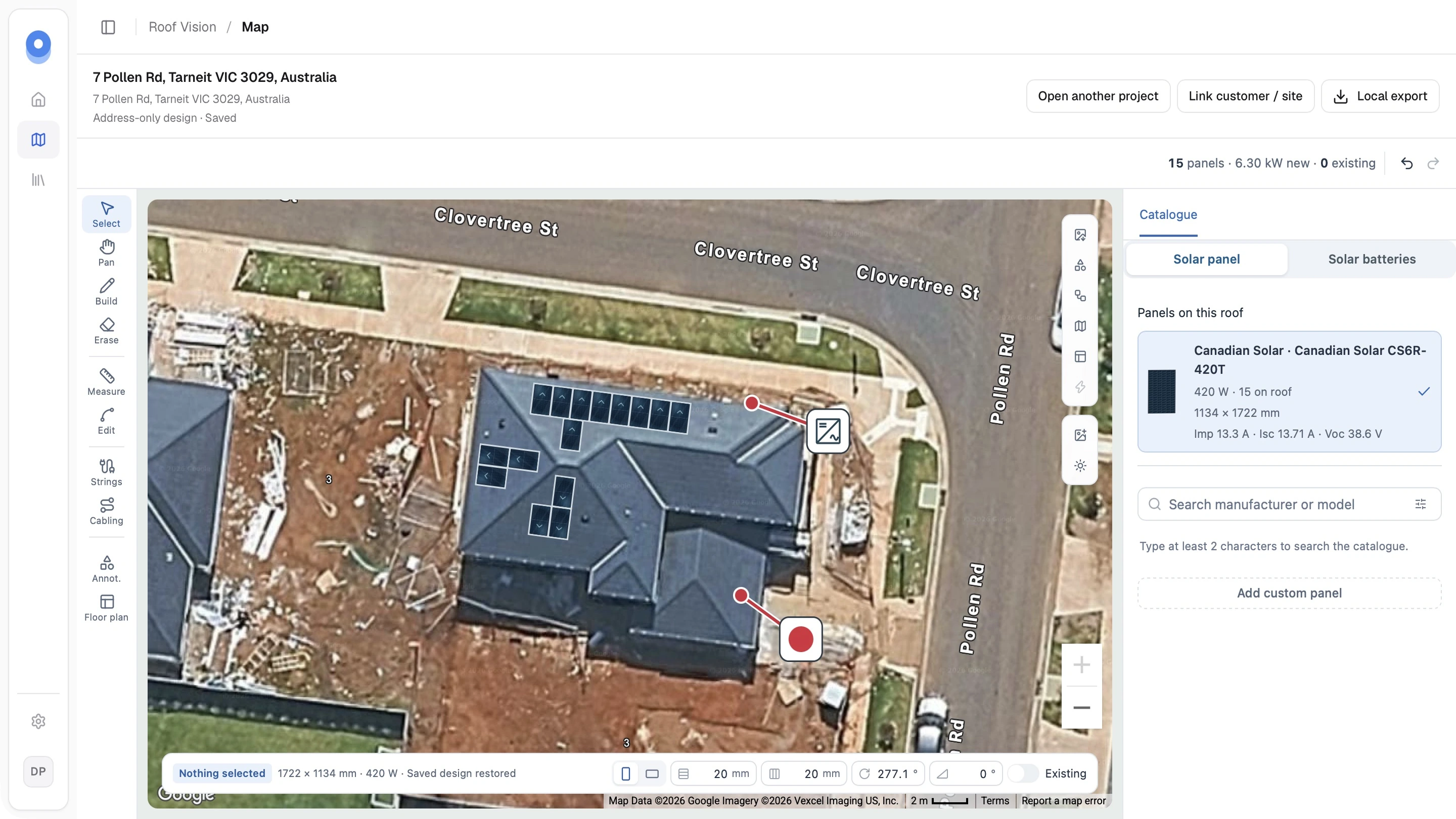
What changes
Search the installation address, place panels from the retailer catalogue and refine the array against the roof.
Group the panels into strings against the inverter's MPPT inputs, then draw and export the single line diagram.
Each saved revision stays with the design, and the latest one attaches the panel and stringing drawings to the customer's quote.
How it works
The workflow is configured around the retailer rather than forcing the team into a generic software template.
Start in the quote's solar step with the customer, address and equipment.
Place panels on satellite imagery, wire them into strings and draw the single line diagram.
The latest saved revision adds the panel layout and the stringing drawings to the customer's proposal.
Questions
Open it from the Roof Vision section of the quote's solar step. The customer, installation address and selected equipment come with you, and saved designs stay in the Roof Vision design library.
Yes. Panels can be placed, moved and removed on the imagery, and the strings can be redrawn against the inverter before the design is attached.
No. The design records the panel layout and the electrical arrangement; pricing, rebates and totals stay in the quote.
Related solutions
See it with your workflow