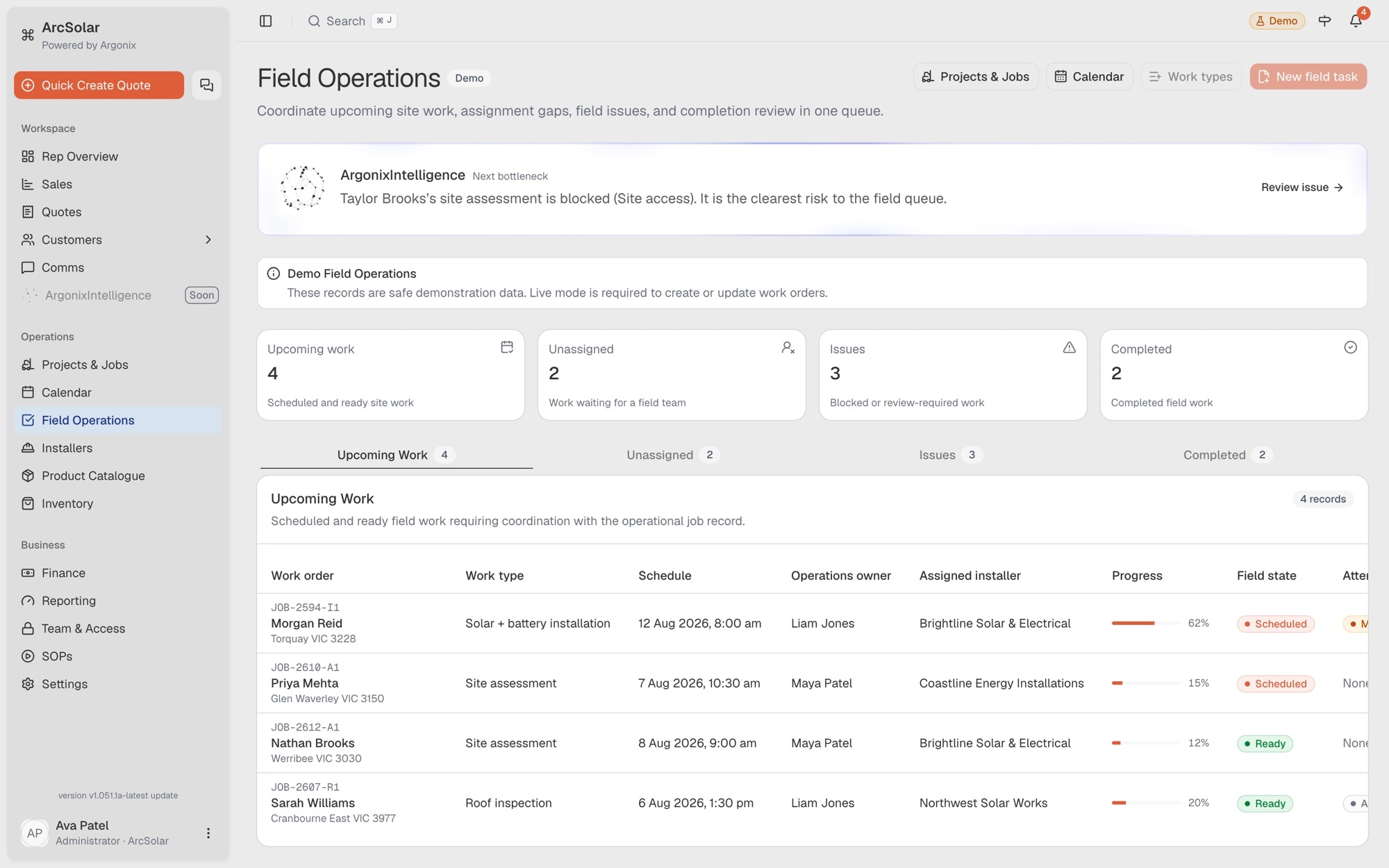
A queue organised by work state
Separate upcoming, unassigned, issue and completed work so the team can focus on the jobs that need intervention.
Solar software for operations teams
ArcSolar gives operations the accepted customer and system context, then provides the project, work-order and calendar views used to organise delivery. Upcoming, unassigned and problem work remain visible without a group-chat status check.
Book a workflow demoProjects, work orders, mapped sites, installers and schedule entries can reference the same connected solar job.
For coordinators
Separate upcoming, unassigned, issue and completed work so the team can focus on the jobs that need intervention.
Review the connected customer, accepted system, mapped address and submitted site information from the operational record.
Associate installer records with work orders and carry the assignment into the shared operations calendar.
Operations workflow
ArcSolar provides several operational views over one job lifecycle rather than separate lists that require manual reconciliation.
Confirm the accepted offer, property, available site evidence and operational project context inherited from sales.
Create or review the work order, associate an installer and place the job into the appropriate calendar view.
Update progress and issue visibility so authorised teams can see where the job is without a separate status report.
Questions
The field operations workspace includes Upcoming Work, Unassigned, Issues and Completed views.
Yes. Projects and work orders can include mapped site context, while customers can submit bills, switchboard photos and a cable-run video before installation.
Yes. ArcSolar can store installer contact, coverage, capacity and recorded compliance information for assignment and scheduling workflows.
Evidence and review
This page is mapped to 5 maintained ArcSolar capability records. Product statements are reviewed by the ArcSolar product and editorial team. Read the editorial standards.
Related workflows
See it with your workflow