One shared installation calendar
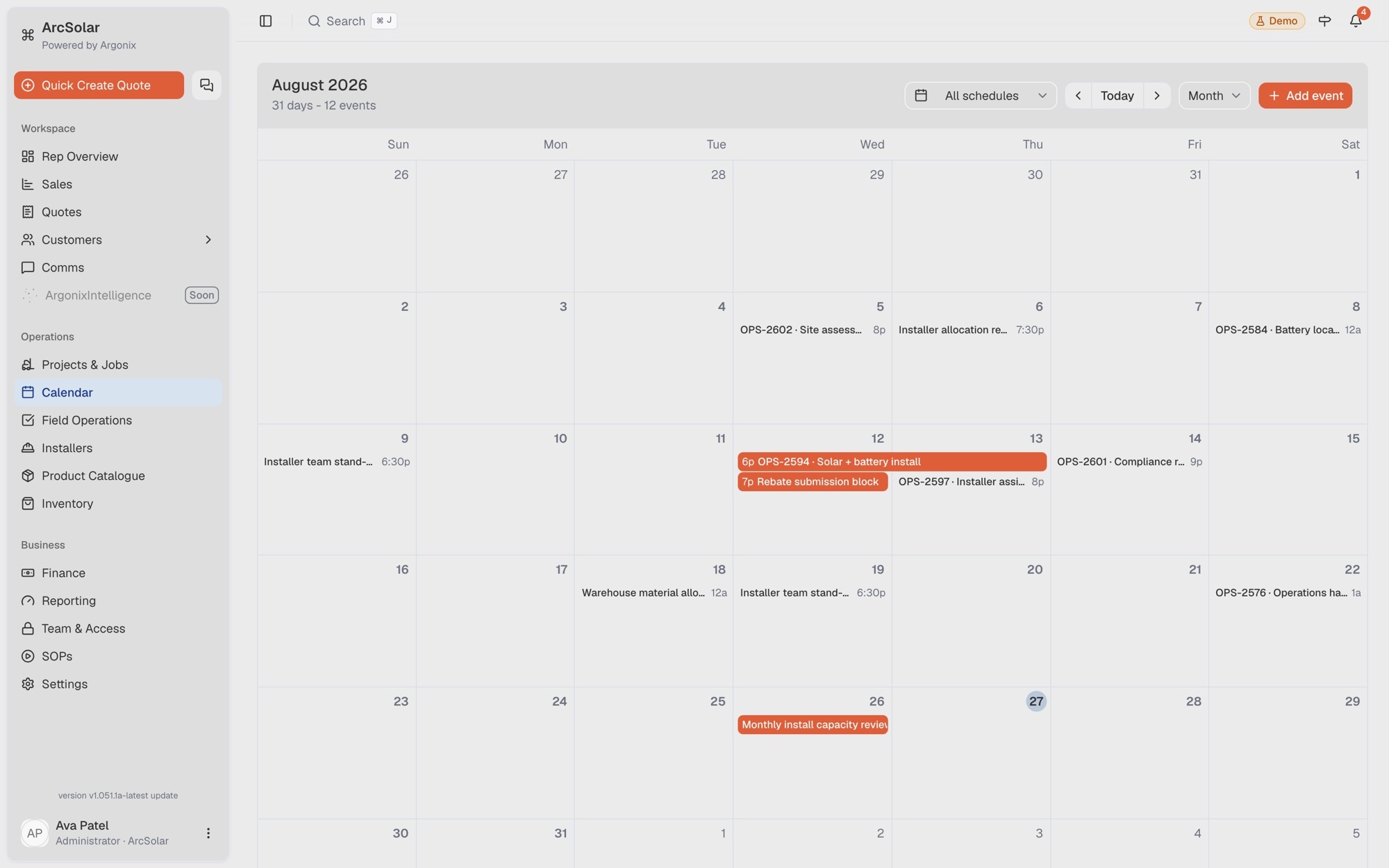
Give operations month, week, day and agenda views of scheduled work so the team can coordinate from the same delivery plan.
Solar installation scheduling software
ArcSolar gives operations a shared installation calendar where every entry retains the customer, site, system and installer context behind the booking. Teams can move from the schedule into the connected project or work order instead of searching across tools.
Book a workflow demoEach calendar booking opens into the operational record and assigned installation work behind it.
What changes
Give operations month, week, day and agenda views of scheduled work so the team can coordinate from the same delivery plan.
Carry the customer, address, selected system and assigned installer beside the schedule rather than recreating those details in a calendar note.
See assigned work together on the shared calendar so overlapping commitments can be identified before they reach the field.
How it works
The workflow is configured around the retailer rather than forcing the team into a generic software template.
Start from the accepted work and confirm the site, scope and delivery information already on the record.
Create the calendar entry with its schedule, site, system and installer association attached.
Move between the calendar, project and work order as the installation progresses and its status changes.
Questions
Operations can view scheduled work by month, week or day, with an agenda view that also gives teams a straightforward mobile-friendly list.
Yes. Each event can retain the site, customer, system, project or work-order context for the installation it represents.
Yes. Installer assignment can stay connected to the scheduled work and the operational record used by the office and field teams.
Related solutions
See it with your workflow